
AI Photo Animator
Visit websiteTurn photos into short videos with motion prompts, templates and optional sound.
Verified Nov 2, 2026
What is AI Photo Animator?
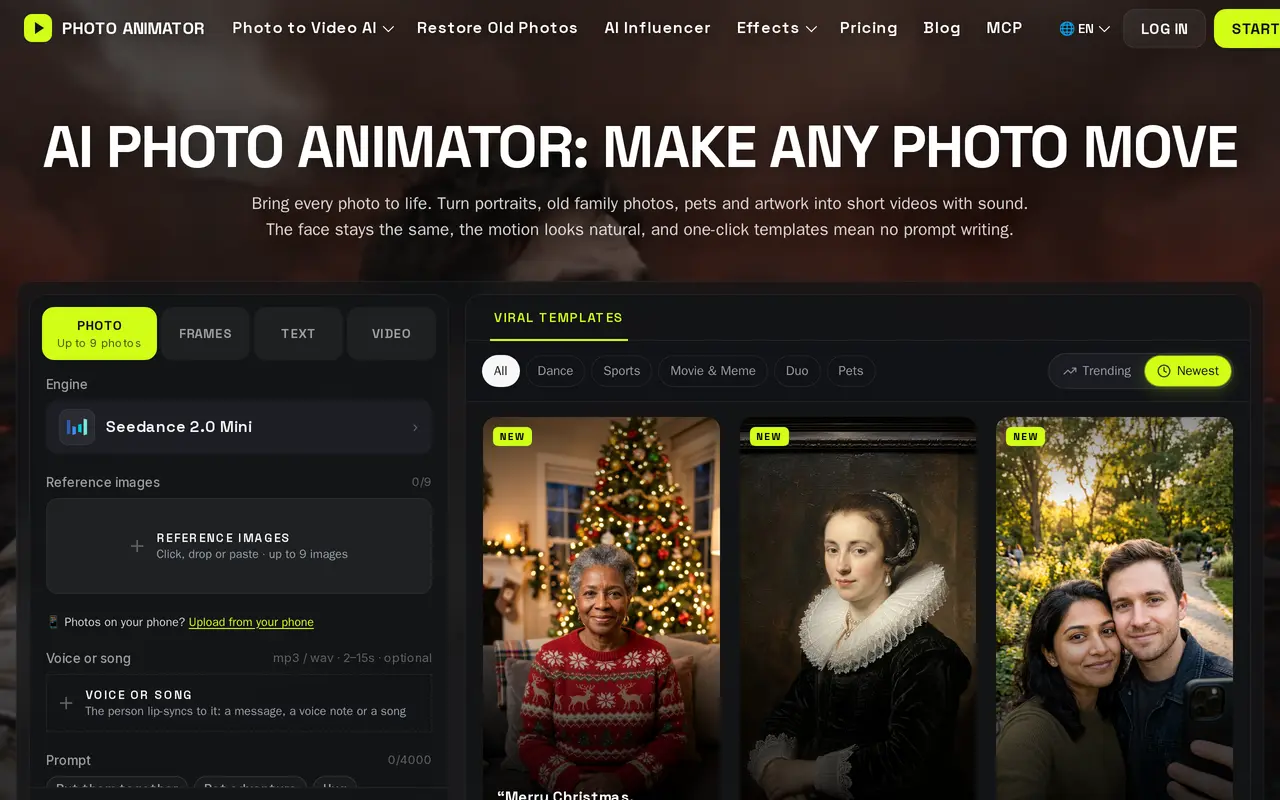
AI Photo Animator is a browser-based tool for turning portraits, family photos, pets, artwork and product images into short videos. Users upload an image, describe a movement or choose a preset effect, then generate and download an MP4. Available video models include Seedance, Kling, Wan and Hailuo, with credit costs displayed before generation.
Photo mode uses reference images to build a new scene around the subjects. Frames mode uses an uploaded image as the starting frame, with an optional end frame to guide the transition. Controls include clip length, aspect ratio and resolution. Supported models can generate audio alongside the video, and users can upload a voice recording or song for lip-sync animation. Templates cover subtle portrait movements, dances, pet animations and product presentations.
New accounts receive 75 free credits without a payment card, and downloads have no watermark. Subscriptions and one-time credit packs support further use; Pro and Max include commercial licenses. Videos are private by default, and users can request deletion of their files and account. An MCP server also lets compatible assistants create videos using the same account, credits and library.
What can AI Photo Animator do?
Multiple video models
Choose among Seedance, Kling, Wan and Hailuo models for different animation styles and generation settings.
Reference and frame modes
Build a new scene from reference photos or animate from an exact starting image with an optional end frame.
Ready-made animation effects
Apply presets for portrait movements, dances, pets and product videos without writing a motion prompt.
Audio and lip sync
Generate sound with supported models or upload a voice recording or song to animate matching lip movements.
Watermark-free downloads
Download generated videos as MP4 files without a watermark, including those made with free credits.
MCP access
Connect compatible AI assistants to animate photos, apply effects and save results to your account library.
Who is AI Photo Animator for?
- Social media creators
- Make vertical dance, meme and portrait videos for TikTok and Reels.
- Families
- Add subtle movements to old family portraits and create memorial videos.
- Artists
- Animate drawings, anime characters and AI artwork.
- Sellers and marketers
- Turn product images into short presentations and promotional clips.
How much is AI Photo Animator?
Official pricingFree
Free
Lite
$99.90/yr
Pro
$249.90/yr
Max
$599.90/yr
Trial Pack
$4.99 one-time
1,000 Credits
$14.99 one-time
2,000 Credits
$24.99 one-time
4,000 Credits
$39.99 one-time
Free plan: 75 credits on sign-up with no payment card required and watermark-free downloads.
Frequently asked questions
Can I use AI Photo Animator for free?
New accounts receive 75 credits without a payment card. Free generations have no watermark, but model access is more limited than on paid subscriptions.
Which plans include commercial use?
Pro and Max include commercial licenses. You must have the right to use the photos you upload.
Do credits expire?
Subscription credits roll over for one month. Trial Pack and one-time credit pack credits never expire.
Are my photos and videos public?
Videos are private by default and are not displayed in public galleries. Your history is behind your sign-in, and you can request deletion of your files and account.
Can I use it through an AI assistant?
The MCP server supports ChatGPT, Claude, Cursor and other MCP clients. It uses your existing account and credits, and generated videos appear in your library.
What affects the cost of a video?
Credit costs depend on the model, resolution and clip length. The cost is displayed before generation, and credits are returned if a video generation fails.
AI Photo Animator alternatives
Compare alternatives- 1
 Photo to VideoAnimate photos, artwork, and product images with AI-generated motion.
- 2
 RapDuoMakerTurn two selfies into a rap duet with AI lyrics, music, vocals, and lip-sync.
- 3
 AI Image to VideoTurn still images and text prompts into short AI-generated videos.
- 4
 Burning Bridges AITurn photos into personalized dance videos using preset motion and music.
- 5
 PixVerseGenerate and refine AI videos from text, images, and conversational instructions.
More Image to Video
See more
DeeVid
AI Video Generators
Create and edit AI videos, images, avatars, speech, and music in one workspace.

Hailuo AI
AI Video Generators
Generate AI videos and images from text prompts and reference photos.
AIGAZOU
AI Image Generators
Generate AI images without signing in, edit images, and turn images into video.
Anime Maker
AI Image Generators
Generate anime illustrations, original characters, and short videos from text or images.
Bach AI
AI Video Generators
Generate videos from text and images, including multi-shot sequences with synced audio.
ClipDance
AI Video Generators
Generate and edit AI videos from text, images, and references with synchronized audio.