
Kimi
Visit websiteAn AI assistant for coding, research, 3D creation, and agent-based tasks.
Verified Nov 3, 2026
What is Kimi?
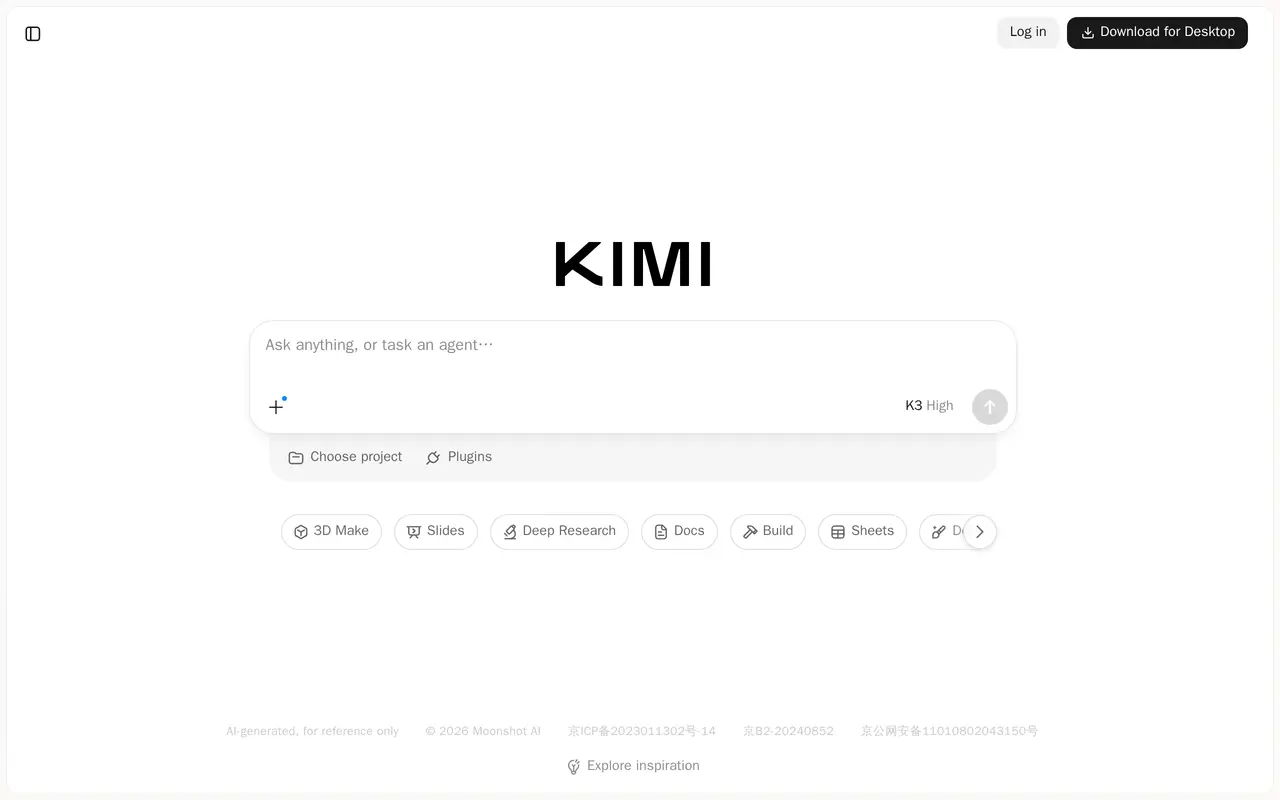
Kimi is an AI chat and agent workspace from Moonshot AI. Users can ask questions or assign tasks, with tools for coding, deep research, slides, documents, spreadsheets, design, and 3D creation. Its K3.1 Pro model is presented for complex coding projects and agent-based work, including financial research and building 3D models.
The interface brings conversations and task-specific tools into one workspace. Users can start a new chat, choose a project, or open tools such as Slides, Deep Research, Docs, Build, and Sheets. Project organization and plugins are also part of the interface, alongside an inspiration area for exploring possible tasks.
Kimi is available through a browser and offers a desktop download. Logging in enables chat-history synchronization. Its AI-generated responses and other outputs are intended for reference rather than as authoritative results.
What can Kimi do?
Chat and agent tasks
Ask questions in chat or assign work to an AI agent.
Coding and building
Use K3.1 Pro for complex coding projects and access a dedicated Build tool.
Deep research
Use a dedicated research tool for investigative tasks, including financial research.
Content and design tools
Access tools for slides, documents, spreadsheets, design, and 3D creation.
Project organization
Organize work into projects and synchronize chat history by logging in.
Who is Kimi for?
- Developers
- Use AI assistance for complex coding projects and building tasks.
- Researchers
- Conduct deep research, including financial research, with an AI assistant.
- Designers and content creators
- Work on slides, documents, designs, and 3D models within one workspace.
Frequently asked questions
Where can I use Kimi?
Kimi is available in a web browser and offers a desktop download.
Can I synchronize my chat history?
Yes. Logging in enables chat-history synchronization.
Kimi alternatives
Compare alternatives- 1
 Viskey & VidaAn AI work companion for research, documents, and tasks with persistent context.
- 2
 ClaudeAn AI assistant for research, writing, coding, and tasks across your files and apps.
- 3
 ChatGPTAn AI chat assistant for questions, writing, coding, and image creation.
- 4
 GeminiGoogle’s AI assistant for writing, planning, brainstorming, learning, and coding.
- 5
 Microsoft CopilotChat with AI to find answers, summarize information, draft content, and generate images.
More AI Assistants
See more
Grok
AI Chatbots
An AI assistant for chat, image creation, code and real-time answers.

Monica
AI Assistants
Chat with multiple AI models, write, research, and create across your apps and devices.

Speechify
Text to Speech
Read text aloud, dictate writing, and ask questions about documents with AI.

Mistral
AI Models
AI models, agents, and development tools for hosted or private deployment.

DeepSeek
AI Chatbots
A free AI chat assistant for everyday questions and problem-solving.
AutoGPT
AI Agents
Coordinate AI specialists for research, content, sales, and recurring workflows.