
Eraser
Visit websiteCreate and edit technical diagrams with AI using prompts, code, and files.
Verified Nov 2, 2026
What is Eraser?
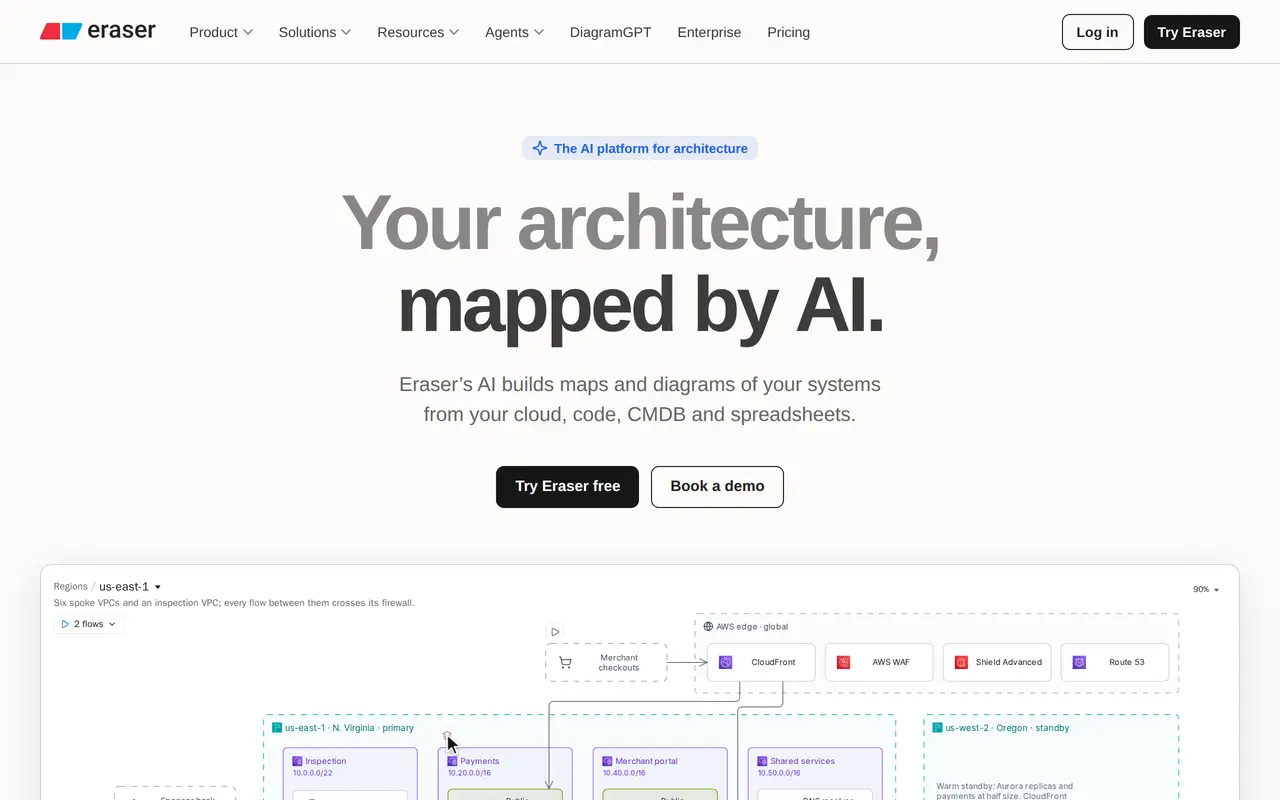
Eraser is an AI diagramming and documentation platform for architecture and process teams. It turns text prompts, code, and uploaded files into technical diagrams, including architecture maps, network diagrams, flowcharts, and entity relationship diagrams. Users can supply Terraform, reference Git repositories, or upload design documents to give the AI context about their systems.
Generated diagrams open on an editable canvas, where users can make manual changes or request revisions through AI chat. Teams can define notation rules, styles, templates, and reference architectures to keep diagrams consistent. Markdown notes, real-time collaboration, comments, and exports to PDF, PNG, SVG, and Markdown support shared technical documentation.
Eraser also supports interactive system maps with drill-down views and connections to code, cloud accounts, and internal catalogs. A diagramming API and MCP server let software agents create, find, update, and export diagrams. The free plan includes three files and three AI credits; paid plans add higher allowances, private files, and connected data sources.
What can Eraser do?
AI technical diagrams
Generate diagrams from prompts, code, repository references, screenshots, and uploaded documents.
Canvas and chat editing
Refine generated diagrams manually on a visual canvas or request changes through AI chat.
Team diagram standards
Apply reference architectures, notation rules, templates, and custom styles to guide diagram output.
Interactive system maps
Explore architecture through drill-down views and sync maps with code, cloud accounts, and internal catalogs.
Collaborative documentation
Combine diagrams with Markdown notes, comments, real-time collaboration, and file exports.
API and MCP access
Let agents create, search, update, and export diagrams through the diagramming API and MCP server.
Who is Eraser for?
- Software architects
- Map system architecture and communicate technical designs using diagrams and supporting documentation.
- Engineering teams
- Build shared diagrams from code and infrastructure sources, then review and maintain them collaboratively.
- Process teams
- Document workflows and business processes with AI-generated flowcharts and consistent notation.
How much is Eraser?
Official pricingFree
Free
Business
$60/mo
Business Plus
$504/yr
Enterprise
See website
Free plan: Free forever with three files, three AI credits, seven-day version history, and unlimited guests.
Frequently asked questions
Can I use Eraser for free?
The Free plan includes three files, three AI credits, seven-day version history, and unlimited guests. It also includes the canvas, Markdown notes, and real-time collaboration.
How much do paid plans cost?
Business costs $60 per member monthly, or $45 per member per month billed annually. Business Plus costs $42 per member per month billed annually with a minimum of 10 seats. Enterprise has custom pricing.
Which export formats are supported?
All plans support exports to PDF, PNG, SVG, and Markdown.
Can AI agents use Eraser?
Eraser offers a diagramming API and an MCP server that supports creating, searching, updating, and exporting diagrams from Claude, Cursor, or ChatGPT. Paid plans list usage-based API calls.
What security and deployment options are available?
Eraser is SOC 2 Type 2 certified and undergoes annual penetration testing. Business Plus includes SAML SSO, while Enterprise adds controls such as SCIM provisioning and SIEM logging, along with custom hosting.
Eraser alternatives
Compare alternatives- 1
 OsaurusRun local AI agents that work with your files, remember context, and ask before editing.
- 2
 CursorAn AI coding editor and agent for building, testing, and reviewing software.
- 3
 JetBrainsAI-powered development tools and coding agents for developers and software teams.
- 4
 ClineAn open-source coding agent for your editor, desktop, terminal, and applications.
- 5
 ComposioConnect AI assistants and agents to 1,500+ apps with authentication and access controls.
More AI Developer Tools
See more
CodeRabbit
AI Code Assistants
AI code reviews, pull request triage, change explanations, and security monitoring.

Devin Desktop
AI Code Assistants
Manage local and cloud coding agents, review changes, and write code in one IDE.

Open WebUI
AI Chatbots
A self-hosted AI interface for local and cloud models, conversations, and tools.

Runpod
AI Model APIs
Cloud GPUs and serverless endpoints for training, fine-tuning, and running AI models.

Tavily
AI Search Engines
Web search and content extraction APIs for AI agents.

Claude Code
AI Code Assistants
Anthropic's agentic coding tool that plans, edits, tests and opens pull requests.