
Slidesgo
Visit websitePresentation template library with AI tools that generate slides from a prompt.
Verified Nov 2, 2026
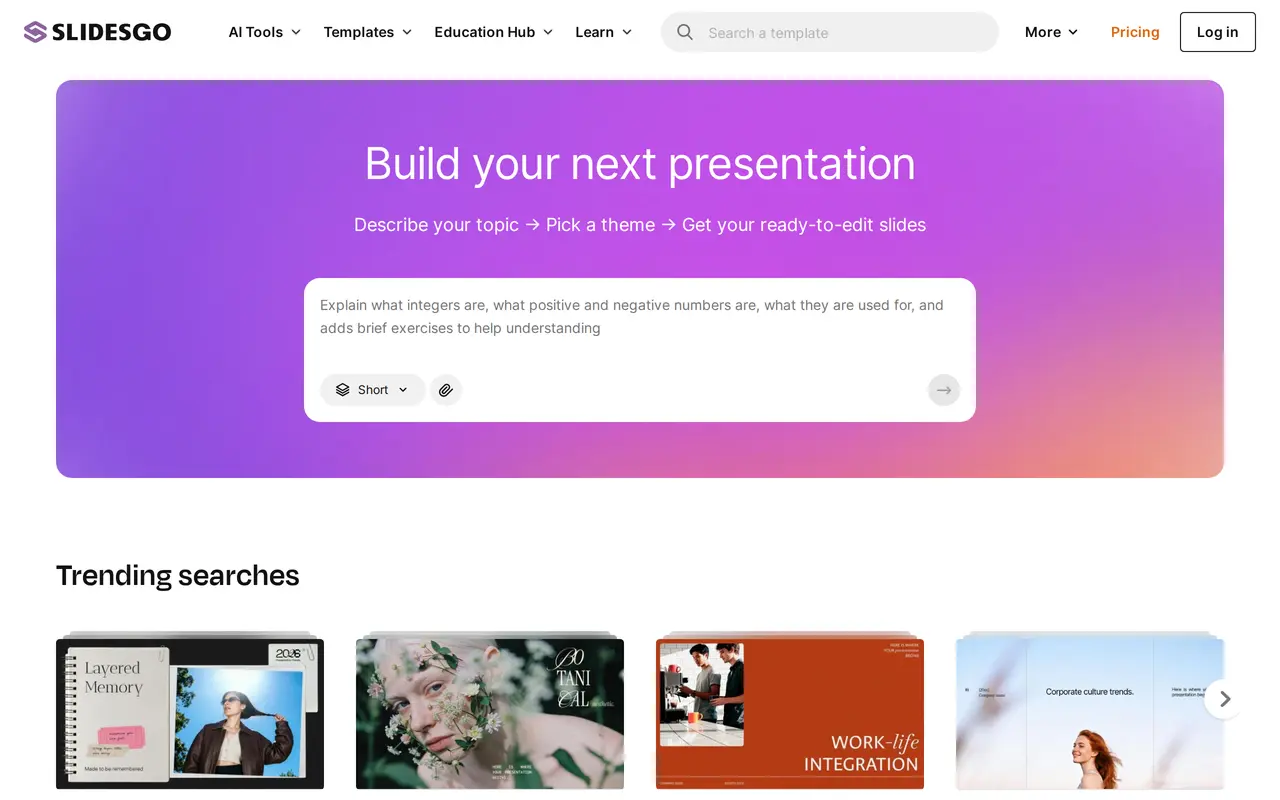
What is Slidesgo?
Slidesgo is a template library for Google Slides and PowerPoint with a set of AI tools built around presentation and classroom work. Its AI Presentation Maker takes a topic description and a chosen theme, then produces an editable slide deck; a document up to 25 MB in PDF, DOCX or TXT can be attached as source material.
Beyond slide generation, the site offers an AI PDF-to-PPT converter and education-focused generators for lesson plans, icebreakers, exit tickets and quizzes. The wider library holds thousands of ready-made templates across business, education, health, travel and other themes, with filters by style, colour and industry. An online editor lets users adjust templates in the browser, and Premium accounts can invite team members.
A free account includes three AI-generated presentations and three template downloads per month, with access to the free template library. Premium raises both allowances, adds the full premium library and Slidesclass lessons, removes ads and the attribution requirement, and allows team management. AI generation and downloads are capped at 150 per month even on Premium for security reasons. An account is required to generate presentations and download templates.
What can Slidesgo do?
AI Presentation Maker
Turns a topic prompt and theme choice into an editable slide deck, optionally using an attached PDF, DOCX or TXT file.
PDF to PPT Converter
Converts uploaded documents into PowerPoint presentations.
AI Lesson Plan Generator
Creates lesson plans for teachers from a subject or topic.
AI Quiz Maker
Builds quizzes from reading material.
Template Library
Offers thousands of editable Google Slides and PowerPoint templates filterable by industry, style and colour.
Team Accounts
Lets Premium users invite and manage team members, with discounts for additional seats.
Who is Slidesgo for?
- Teachers and educators
- Create classroom presentations, lesson plans, icebreakers, exit tickets and quizzes.
- Students
- Build presentations and study materials from templates and AI-generated slides.
- Business teams
- Produce business decks from templates and collaborate on shared Premium accounts.
- Schools and universities
- Use classroom-ready templates and request institutional pricing for staff and students.
How much is Slidesgo?
Official pricingFree
Free
Premium Monthly
$5.99/mo
Premium Annual
$35.99/yr
Education Institutions
See website
Free plan: Three AI-generated presentations and three template downloads per month, plus access to free templates.
Frequently asked questions
How much does Slidesgo Premium cost?
Premium costs $5.99 per month on monthly billing, or $3 per month when billed yearly at $35.99 per year. VAT and local taxes may apply.
Is there a free version?
Yes. Free accounts include three AI-generated presentations and three template downloads per month, plus access to the free template library.
Do I need an account to use the AI tools?
Yes. You need to create an account and be logged in to use the AI presentation maker and to download templates.
Can I cancel my subscription at any time?
Yes. Subscriptions renew automatically unless cancelled, and you can change or cancel your plan at any time from your account.
Are there team plans?
Yes. Premium supports up to 1,000 users, with larger discounts from three users. Email invitations remain valid for one month.
What are the AI generation limits?
Free accounts get three AI-generated presentations per month. Premium accounts get up to 150 AI generations and 150 template downloads per month for security reasons.
Slidesgo alternatives
Compare alternatives- 1
 Presentations.AICreate branded slide decks from prompts, documents, URLs, and data.
- 2
 GammaCreate presentations, documents, websites, and social visuals with AI.
- 3
 CanvaCreate presentations, graphics, photos, and videos with AI-assisted design tools.
- 4
 Claude DesignCreate and refine branded visuals, presentations, and interface mockups with Claude.
- 5
 GPTExcelAnalyze spreadsheets and generate formulas, pivot tables, charts, and slide decks with AI.
More AI Presentation Makers
See more
Ottermind
AI Agents
An AI agent workspace for creating slides, websites, images, videos, and data analyses.