
Presentations.AI
Visit websiteCreate branded slide decks from prompts, documents, URLs, and data.
Verified Nov 2, 2026
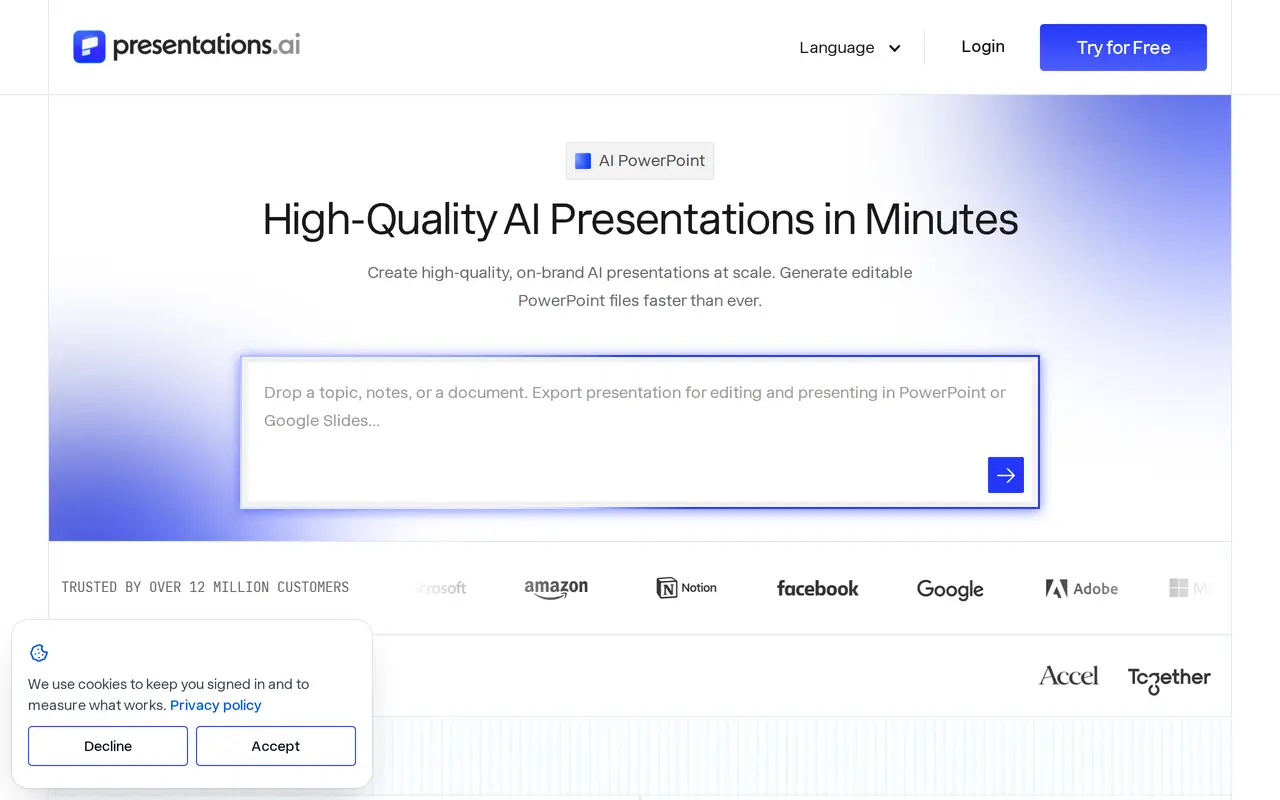
What is Presentations.AI?
Presentations.AI turns topics, notes, documents, URLs, and spreadsheets into editable slide decks. It generates the narrative, slide sequence, copy, and layouts around the presentation’s objective, with starting points for investor pitches, sales proposals, board reports, and other business presentations. Users can refine individual slides or start from a library of full-deck and single-slide templates.
Brand Sync extracts logos, fonts, and colors from a company website to apply branding automatically. Layouts, imagery, text, and design choices remain editable, and teams can collaborate through shared editing, comments, and reviews. Paid plans include PowerPoint export, allowing decks to be edited in PowerPoint or opened in Google Slides.
Beyond creating a first draft, the platform supports refreshing existing presentations with new data or audience details while retaining their structure and design. Connections to CRM systems, databases, and analytics tools support scheduled updates. A REST API, webhooks, and Zapier or Make connections let businesses trigger personalized deck generation from their workflows. The free Starter plan includes 200 credits and presentations of up to 20 slides.
What can Presentations.AI do?
Multi-format deck generation
Turn prompts, PDFs, Word documents, URLs, Google Docs, and Excel files into structured presentations.
Automatic brand matching
Extract your logo, fonts, and colors from a website URL, then edit the resulting slide designs.
Editable PowerPoint export
Download native .pptx files on paid plans for further editing in PowerPoint or Google Slides.
Data-connected refresh
Update presentation data on a schedule while preserving the deck’s narrative, branding, and layout.
Personalized deck automation
Generate tailored decks through a REST API, webhooks, Zapier, or Make, with white-label capabilities.
Real-time collaboration
Let teammates edit, comment on, and review the same presentation in a shared workspace.
Who is Presentations.AI for?
- Founders
- Create investor pitches and update financial projections and traction figures for fundraising meetings.
- Sales teams
- Adapt proposals and sales presentations to individual prospects without rebuilding each deck.
- Marketing and product teams
- Build branded presentations for launches, product communication, and business updates.
- Enterprise teams
- Manage presentation production across teams with shared branding, permissions, and automated reporting.
How much is Presentations.AI?
Official pricingStarter
Free
Pro
$240/yr
Gold
$1,200/yr
Free plan: Starter includes 200 credits and presentations of up to 20 slides, with no credit card required.
Frequently asked questions
Can I use Presentations.AI for free?
The Starter plan includes 200 credits and presentations of up to 20 slides. Creating a free account does not require a credit card.
How much do the paid plans cost?
Pro costs $240 per year, equivalent to $20 per month billed yearly, and includes 5,000 annual credits. Gold costs $1,200 per year, equivalent to $100 per month billed yearly, and includes 50,000 annual credits. These are US prices; pricing can vary by country.
Can I export presentations to PowerPoint?
Paid plans include editable PowerPoint export. The resulting .pptx files can be opened in Microsoft PowerPoint or Google Slides.
Who owns the presentations I create?
You and your team own the generated presentations and can use, edit, and distribute them.
Can presentation generation be automated?
Presentations.AI supports a REST API, webhooks, and connections through Zapier or Make. It also supports scheduled updates using connected data sources.
What security and compliance measures are available?
Presentations.AI is SOC 2 Type II certified and GDPR compliant. Enterprise capabilities include data controls, team workspaces, and permissions.
Presentations.AI alternatives
Compare alternatives- 1
 SlidesgoPresentation template library with AI tools that generate slides from a prompt.
- 2
 GammaCreate presentations, documents, websites, and social visuals with AI.
- 3
 OttermindAn AI agent workspace for creating slides, websites, images, videos, and data analyses.
- 4
 CanvaCreate presentations, graphics, photos, and videos with AI-assisted design tools.
- 5
 Claude DesignCreate and refine branded visuals, presentations, and interface mockups with Claude.
More AI Presentation Makers
See more
GPTExcel
AI Spreadsheets
Analyze spreadsheets and generate formulas, pivot tables, charts, and slide decks with AI.