
Qwen
Visit websiteChat with Qwen models and work with images, documents, voice, and video.
Verified Nov 3, 2026
What is Qwen?
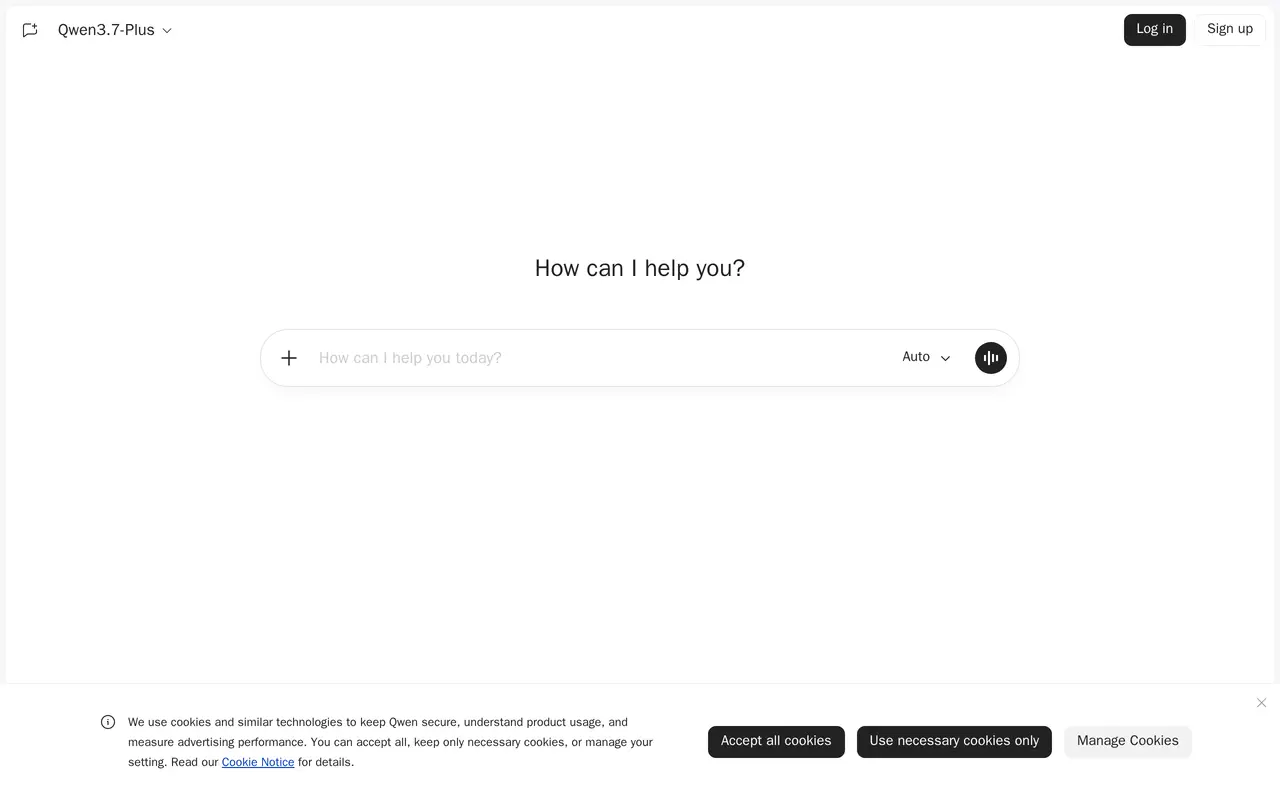
Qwen is a web-based AI platform for everyday users and developers, bringing access to Qwen’s open-source and proprietary models into one interface. It combines a conversational assistant with tools for working across text, images, documents, voice, and video. Users can ask questions in chat or use its document-processing and visual-understanding capabilities to work with material beyond typed messages.
The platform supports both understanding images and videos and generating or editing images, covering visual analysis as well as image creation. Voice and video chat provide additional ways to interact with the assistant. Qwen also includes tool-use capabilities and artifacts alongside its chat features. The web interface offers login and signup, and displays Qwen3.7-Plus as a model option, making the browser application an entry point to the Qwen model family.
What can Qwen do?
Qwen model chat
Interact with Qwen’s open-source and proprietary models through a browser-based conversational interface.
Image and video understanding
Use visual-understanding capabilities to work with images and videos in the assistant.
Image generation and editing
Create images and modify existing ones within the platform.
Document processing
Work with documents using Qwen’s document-processing capabilities.
Voice and video chat
Interact with the assistant through voice and video as alternatives to text chat.
Who is Qwen for?
- Everyday users
- Use a conversational assistant for questions and tasks involving text, documents, images, voice, and video.
- Developers
- Access and interact with Qwen’s open-source and proprietary model family through a unified platform.
Frequently asked questions
What can Qwen do besides text chat?
Qwen supports image and video understanding, image generation and editing, document processing, and voice and video chat. It also includes tool-use capabilities and artifacts.
Does Qwen provide access only to open-source models?
No. The platform provides access to both open-source and proprietary Qwen models.
Qwen alternatives
Compare alternatives- 1
 Lorka AIUse multiple AI chat models, research tools, and image generators in one workspace.
- 2
 ChatGPTAn AI chat assistant for questions, writing, coding, and image creation.
- 3
 GrokAn AI assistant for chat, image creation, code and real-time answers.
- 4
 DeepAIGenerate images, videos and music, edit photos, and chat with AI in one platform.
- 5
 NinjaChatChat with multiple AI models, compare answers, and create images and videos in one app.
More AI Chatbots
See more
Claude
AI Assistants
An AI assistant for research, writing, coding, and tasks across your files and apps.
Gemini
AI Assistants
Google’s AI assistant for writing, planning, brainstorming, learning, and coding.

Microsoft Copilot
AI Assistants
Chat with AI to find answers, summarize information, draft content, and generate images.

OpenAI
AI Models
AI models, ChatGPT, and an API platform for personal, business, and developer use.
Monica
AI Assistants
Chat with multiple AI models, write, research, and create across your apps and devices.
Open WebUI
AI Chatbots
A self-hosted AI interface for local and cloud models, conversations, and tools.