
NinjaChat
Visit websiteChat with multiple AI models, compare answers, and create images and videos in one app.
Verified Nov 2, 2026
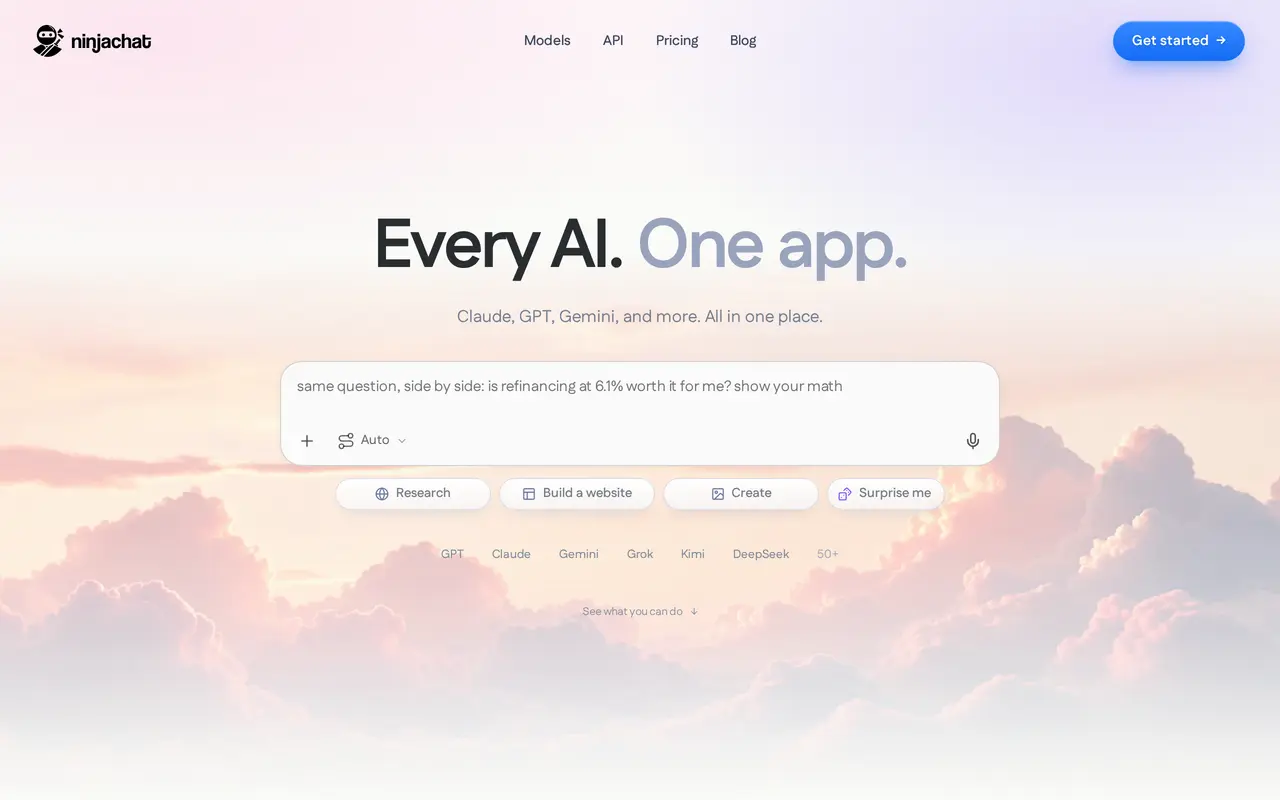
What is NinjaChat?
NinjaChat brings AI chat, web research, image creation, and video generation into a single workspace. Users can choose from more than 50 models, including models from OpenAI, Anthropic, Google, and DeepSeek. Its comparison feature sends one question to three models so users can review different answers and continue with the one they prefer.
For ongoing work, projects keep files alongside conversations and make those files available across project chats. Web search provides cited answers, while YouTube tools find and summarize videos. Voice conversations let users speak instead of type and receive spoken responses in multiple languages. The creative studio supports image generation, targeted image edits, and video creation, with templates for tasks such as product photos, headshots, posters, and storyboards.
Privacy controls include configurable memory and an incognito mode that excludes conversations from chat history and memory. Developers can also access chat, image, video, and search capabilities through an OpenAI-compatible API with routing, fallback options, and request-cost tracking.
What can NinjaChat do?
Multi-model chat and comparison
Choose from more than 50 models or send the same question to three models to compare their answers.
Research with citations
Search the web for cited answers and find and summarize YouTube videos within a conversation.
Projects with shared files
Keep files in a project so its chats can use the same supporting material.
Image and video studio
Generate images and videos, edit selected image details, and use templates for common creative tasks.
Voice conversations
Speak to the assistant and receive spoken replies with a choice of voices and languages.
Unified developer API
Access chat, images, video, and search through an OpenAI-compatible API with routing, fallbacks, and cost tracking.
Who is NinjaChat for?
- Multi-model AI users
- Use several AI providers in one workspace and compare responses to the same question.
- Content creators
- Create and edit images, product visuals, storyboards, and videos using studio tools and templates.
- Developers
- Integrate multiple models and media-generation capabilities through a unified API.
Frequently asked questions
Can I compare answers from different AI models?
Yes. NinjaChat can send one question to three models and show their answers for comparison.
Can conversations use my files?
Yes. Files added to a project are available to chats within that project.
Does NinjaChat support private conversations?
Incognito conversations are not saved to chat history or memory. Users can also manage stored memory, and data is encrypted in transit and at rest.
Is there an API for developers?
Yes. The OpenAI-compatible API supports chat, image generation, video generation, and search, with configurable routing and fallbacks.
NinjaChat alternatives
Compare alternatives- 1
 Lorka AIUse multiple AI chat models, research tools, and image generators in one workspace.
- 2
 DeepAIGenerate images, videos and music, edit photos, and chat with AI in one platform.
- 3
 Chatbot AppChat with multiple AI models, analyze files, search the web, and generate images.
- 4
 ChatHubChat with multiple AI models side by side and compare their responses.
- 5
 QwenChat with Qwen models and work with images, documents, voice, and video.
More AI Chatbots
See more
Claude
AI Assistants
An AI assistant for research, writing, coding, and tasks across your files and apps.
Gemini
AI Assistants
Google’s AI assistant for writing, planning, brainstorming, learning, and coding.
Grok
AI Chatbots
An AI assistant for chat, image creation, code and real-time answers.

Microsoft Copilot
AI Assistants
Chat with AI to find answers, summarize information, draft content, and generate images.

OpenAI
AI Models
AI models, ChatGPT, and an API platform for personal, business, and developer use.
Monica
AI Assistants
Chat with multiple AI models, write, research, and create across your apps and devices.