
Prelint
Visit websiteReviews pull requests for product decisions that conflict with your requirements.
Verified Nov 2, 2026
What is Prelint?
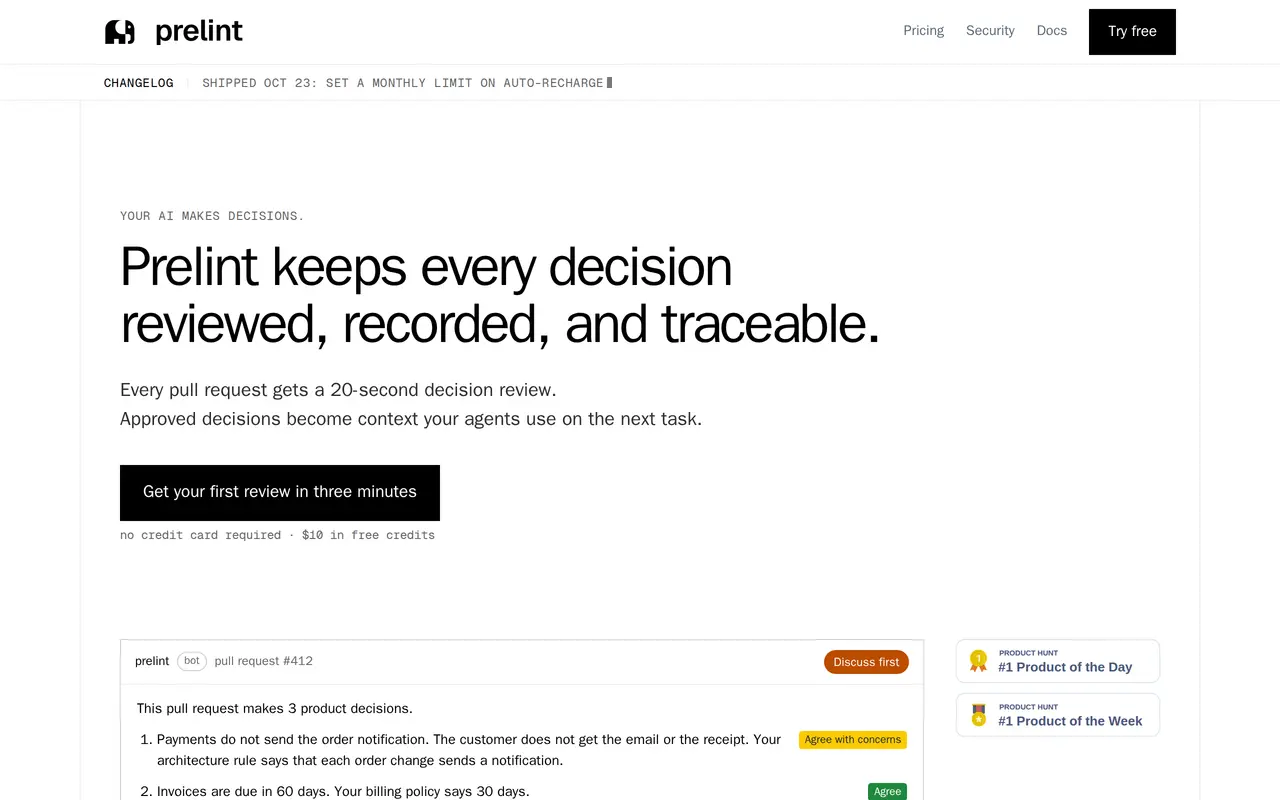
Prelint reviews GitHub pull requests for product decisions that conflict with requirements, policies, or earlier decisions. It checks changes for issues such as altered billing rules, unnecessary features, inconsistent terminology, and unapproved infrastructure choices. Reviews explain findings in plain language so engineers and product owners can discuss them before merging.
To start, connect a repository with read access. Prelint can work from code alone; adding documentation, architecture decisions, call notes, and Notion content gives it more context. Each review contributes to a decision ledger that records decisions, sources, dates, and whether a person or an AI made them. Coding agents can query that ledger through an MCP server or CLI before starting another task.
Teams control which authors and pull requests receive reviews, whether reviews require an explicit mention, and whether Prelint posts comments or approvals. It does not edit code or take over merging. Billing is usage-based at $1 per completed review, including reviews after new commits. Signup includes $10 in non-expiring credits, and public repositories receive free reviews.
What can Prelint do?
Product-focused pull request reviews
Checks code changes against product requirements, business rules, and prior decisions, then posts plain-language findings.
Traceable decision ledger
Records decisions with their sources, dates, and authorship, resolves duplicates, and flags conflicting statements.
Context for coding agents
Lets agents query existing decisions through an MCP server or CLI before writing code.
Review controls
Filter reviews by author, skip drafts, require an @prelint mention, and choose comments or approvals.
Isolated review environments
Runs each review in a single-tenant sandbox that is destroyed afterward, without training models on your code.
Usage and spending controls
Track credit usage, configure automatic recharges, and set monthly limits that pause reviews when reached.
Who is Prelint for?
- Software engineers
- Identify product-level problems in human-written or AI-generated pull requests before merging.
- Product owners
- Read plain-language reviews to check whether delivered changes match intended product behavior.
- CTOs and engineering leaders
- Track decisions made by coding agents and maintain a sourced record of changes.
How much is Prelint?
Official pricing10 reviews
$10 one-time
25 reviews
$25 one-time
50 reviews
$50 one-time
100 reviews
$100 one-time
Free plan: $10 in non-expiring signup credits; reviews on public repositories are free.
Frequently asked questions
How much does Prelint cost?
Each completed review costs $1, including re-reviews after new commits. There are no seat fees, subscriptions, or minimum recurring charges; credit top-ups range from $10 to $1,000.
Can I use Prelint for free?
Signup includes $10 in credits without a credit card, and credits never expire. Reviews on public repositories are free.
Is automatic recharge enabled by default?
Yes. By default, Prelint adds $20 when the balance falls below $10. You can change these amounts, disable automatic recharge, or set a monthly spending limit.
Does Prelint need documentation?
No. It can start with read access to selected repositories and identify decisions from code. Documentation, architecture decisions, call notes, and Notion content add context to its reviews.
Does Prelint change code or block merges?
It does not edit code. You choose whether it posts a comment or approval, and retain control over merging.
How is source code handled?
Reviews run in isolated, single-tenant sandboxes that are destroyed afterward, with models hosted in the US. Prelint states that its staff do not read your code and models are not trained on it; deployment in your own cloud and self-hosted GitHub support are available on request.
Prelint alternatives
Compare alternatives- 1
 CodeRabbitAI code reviews, pull request triage, change explanations, and security monitoring.
- 2
 GitHub CopilotAn AI coding assistant and agent for writing, reviewing, and updating code.
- 3
 Devin DesktopManage local and cloud coding agents, review changes, and write code in one IDE.
- 4
 Devin DesktopManage local and cloud coding agents, review changes, and write code in one workspace.
- 5
 QodoAI code review that checks pull requests and IDE changes against team standards.
More AI Developer Tools
See more
Cursor
AI Code Assistants
An AI coding editor and agent for building, testing, and reviewing software.

JetBrains
AI Code Assistants
AI-powered development tools and coding agents for developers and software teams.

Cline
AI Code Assistants
An open-source coding agent for your editor, desktop, terminal, and applications.

Open WebUI
AI Chatbots
A self-hosted AI interface for local and cloud models, conversations, and tools.

Runpod
AI Model APIs
Cloud GPUs and serverless endpoints for training, fine-tuning, and running AI models.

Tavily
AI Search Engines
Web search and content extraction APIs for AI agents.