
AutoAE
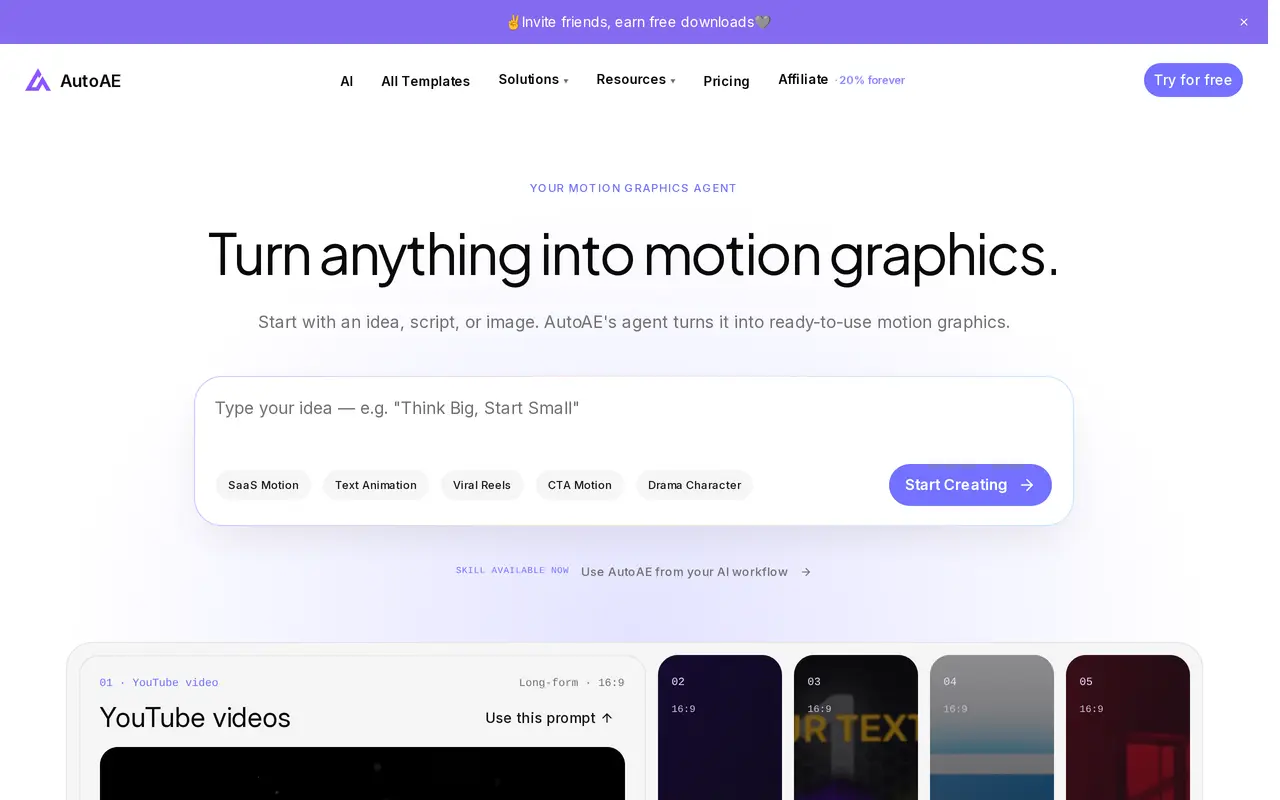
Visit websiteCreate template-based motion graphics from prompts, scripts, images, and your own media.
Verified Nov 2, 2026
What is AutoAE?
AutoAE is an AI motion graphics tool for product launches, YouTube videos, explainers, social clips, and ads. Users start with an idea, script, or image, then add text, logos, and footage to customize a clip. Its workflow uses editable animation templates, with categories covering text animation, SaaS promotions, social media, and character-based content.
The browser workflow lets users describe a request, supply their media, and download the finished video. AutoAE also offers an Agent Skill for compatible assistants, including Claude Code, Codex, and Cursor. This lets users request and customize motion graphics through their existing agent interface, with AutoAE handling rendering and returning an MP4. Compatibility varies by host.
Downloads consume credits. The free plan includes five total downloads at 720p, with a watermark and non-commercial restrictions. Paid subscriptions and one-time credit packs provide 1080p output, all templates, watermark removal, and commercial-use rights. Higher plans add brand asset storage and production capacity, while Enterprise includes API access and output up to 4K.
What can AutoAE do?
Prompt-based motion graphics
Start with an idea, script, or image and use the AI agent to create a customized motion graphics clip.
Editable animation templates
Customize templates for text animation, product launches, Reels, explainers, and other video formats.
Personal media uploads
Add your own logos, footage, and text to adapt animations to your project.
Agent Skill integration
Find, customize, and render clips through compatible assistants such as Claude Code, Codex, and Cursor.
Brand Kit storage
Store brand assets with 5 GB on Creator, 20 GB on Agency, and 100 GB on Scale.
Enterprise API access
Enterprise supports API access, custom video templates, dedicated servers, and output up to 4K.
Who is AutoAE for?
- Video creators
- Create animated text, visual hooks, and graphics for YouTube videos, tutorials, and social clips.
- Product marketers
- Make SaaS launch videos, product promotions, explainers, and social ads.
- Agencies and freelancers
- Produce commercially licensed motion graphics for client projects using customizable templates.
How much is AutoAE?
Official pricingFree
Free
Starter
$12/mo
Creator
$39/mo
Agency
$99/mo
Scale
$299/mo
Enterprise
See website
Credit pack
$2.90 one-time
Free plan: AutoAE includes 500 one-time credits for five watermarked 720p downloads using free templates, for non-commercial use.
Frequently asked questions
Can I use AutoAE for free?
The Free plan includes 500 one-time credits, enough for five downloads. Free output is 720p, carries an AutoAE watermark, and is limited to non-commercial use and free templates.
How many credits does a download cost?
One finished download costs 100 credits. Subscription credits refill monthly, while purchased credit packs do not expire.
Can I buy a video without subscribing?
Yes. A $2.90 credit pack contains 100 permanent credits, enough for one 1080p download with no watermark, access to all templates, and a commercial license.
Can I use the videos commercially?
Every paid subscription and credit pack includes commercial-use rights. The Free plan is for non-commercial use only.
Can I use AutoAE through another AI assistant?
The AutoAE Skill lets compatible agents find, customize, and render motion graphics, then return an MP4. Listed hosts include Codex, Claude Code, Gemini CLI, Grok Build, and Cursor; support varies by host.
AutoAE alternatives
Compare alternatives- 1
 DomoAIGenerate, animate, and restyle videos from text, images, and existing footage.
- 2
 RallyVideoCreate AI short dramas, animated stories, and promotional videos in one workspace.
- 3
 AI Photo AnimatorTurn photos into short videos with motion prompts, templates and optional sound.
- 4
 VideottoEdit videos with text prompts, generate short clips, and add captions and motion graphics.
- 5
 MeshyGenerate 3D models from text and images for printing, games, and animation.
More AI Animation Generators
See more
Photo to Video
Image to Video
Animate photos, artwork, and product images with AI-generated motion.

Sprite AI
AI Image Generators
Generate and animate pixel art sprites for 2D games from text prompts.