
Revise
Visit websiteEdit documents with AI suggestions, tracked changes, and real-time collaboration.
Verified Nov 2, 2026
What is Revise?
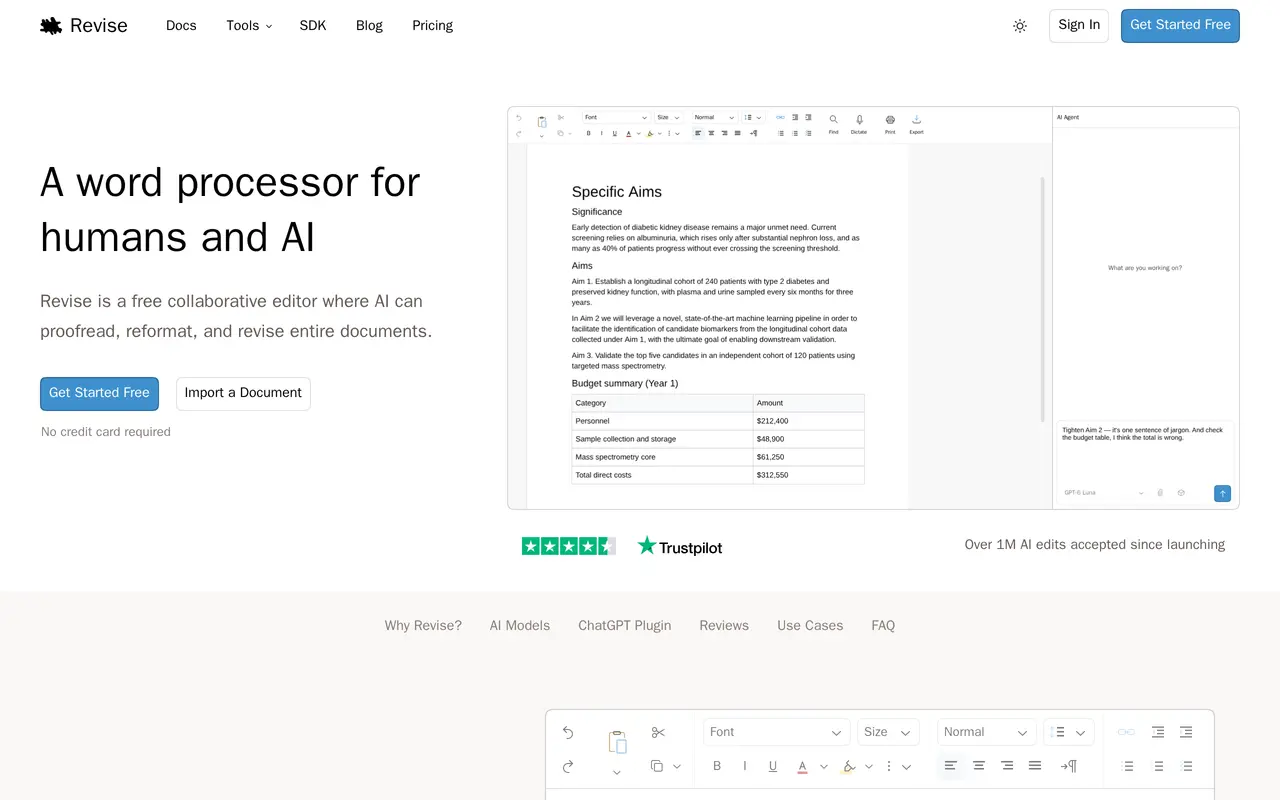
Revise is a browser-based word processor with an AI agent for writing, proofreading, reformatting, and revising documents. Users can start a new document, paste text, or import an existing file, then describe the changes they want. AI edits appear as tracked changes that can be accepted or rejected individually, while drafts are saved automatically.
The editor supports Word files and opens formats including RTF, ODT, PDF, and Markdown. It handles rich formatting, page layouts, footnotes, comments, and threaded feedback. Its AI can critique a draft, incorporate reviewer notes, reconcile competing versions, or translate a document while preserving formatting. Real-time collaboration lets multiple people edit together and see one another’s cursors and changes.
Revise also connects to ChatGPT and Claude through plugins, and external agents can work with documents through MCP. The free plan includes the editor and a daily AI allowance. Paid plans expand AI usage and model access, with multi-step work and dictation features available on higher tiers.
What can Revise do?
Document-wide AI editing
Ask the AI agent to proofread, rewrite, or reformat an entire document using a prompt.
Reviewable tracked changes
Accept or reject individual AI edits and revisit automatically saved drafts.
Contextual document feedback
Get critiques as document comments and discuss suggestions in focused threads.
Real-time collaboration
Share documents and work together with live cursors, comments, and synchronized edits.
Document import and conversion
Open common document formats and convert between DOCX, PDF, Markdown, HTML, and plain text.
Assistant and agent connections
Use Revise through ChatGPT or Claude plugins, or connect an external AI agent through MCP.
Who is Revise for?
- Students
- Draft and proofread essays while reviewing AI suggestions before accepting them.
- Writers
- Revise manuscripts and memoirs, compare drafts, and incorporate feedback.
- Collaborative teams
- Co-edit reports and proposals with shared comments, tracked changes, and AI assistance.
How much is Revise?
Official pricingFree
Free
Plus
$8/mo
Pro
$20/mo
Free plan: Free online document editing with a daily AI allowance and Claude and ChatGPT plugins.
Frequently asked questions
Can I use Revise for free?
Yes. The Free plan includes the online document editor, a daily AI allowance, and Claude and ChatGPT plugins.
How much do the paid plans cost?
Plus costs $8 per month and includes no daily AI limit, smarter models, autonomous multi-step work, and Smart Dictation. Pro costs $20 per month and adds five times the monthly AI usage, the most powerful models, Voice Mode editing, and AI-detection scoring.
Can I review AI changes before applying them?
Yes. AI edits appear as tracked changes, which you can approve or reject individually.
Which document formats does Revise support?
Revise supports Word files and opens RTF, ODT, PDF, and Markdown. It also converts between DOCX, PDF, Markdown, HTML, and plain text.
Can I use Revise with ChatGPT or Claude?
Yes. Free plugins let you work with existing ChatGPT or Claude subscriptions, and MCP support lets you connect your own AI agent.
Revise alternatives
Compare alternatives- 1
 GrammarlyAI writing assistance for grammar, rewrites, tone, and text generation.
- 2
 ScribbrAcademic writing tools for proofreading, AI detection, paraphrasing, and citations.
- 3
 Wordvice AIProofread, paraphrase, translate, and check academic and professional writing with AI.
- 4QuillbotRewrite, check, and create text, presentations, and images with AI tools.
- 5AISEOAudit SEO issues, track brand visibility in AI answers, and draft optimized content.
More AI Writing Assistants
See more
DeepL
AI Translators
Translate text, documents, and speech, and refine writing with AI.

Monica
AI Assistants
Chat with multiple AI models, write, research, and create across your apps and devices.

ZeroGPT
AI Content Detectors
Check text for AI-generated content and plagiarism, with tools for editing and rewriting.

TinyWow
AI Writing Assistants
Free online AI writing, image generation, photo editing, and file tools.

Sudowrite
AI Writing Assistants
An AI writing partner for planning, drafting, and revising fiction.

aiWriter.ai
AI Writing Assistants
Generate stories, poems, lyrics, and chapter-by-chapter novel drafts from prompts.