
Humanize AI
Visit websiteRewrite AI-generated text with more natural wording and adjustable tone and writing level.
Verified Nov 2, 2026
What is Humanize AI?
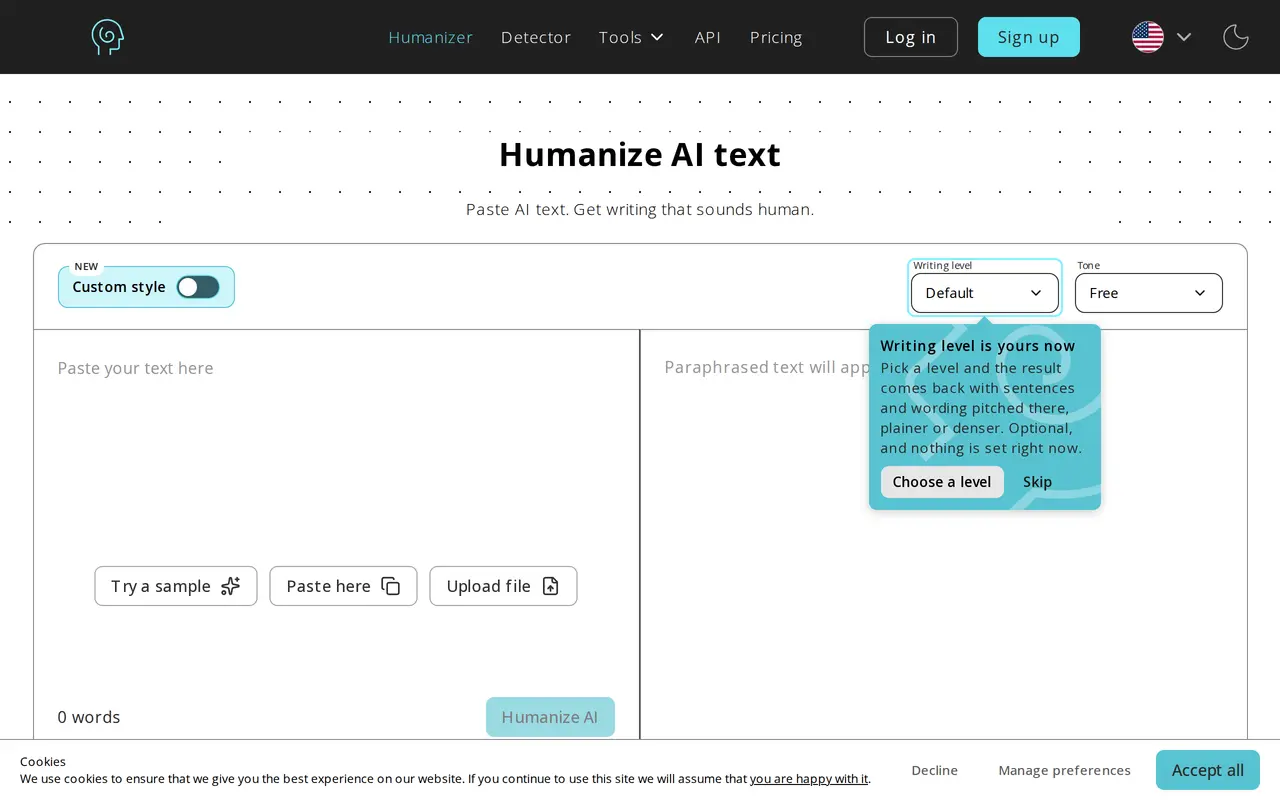
Humanize AI is a browser-based rewriting tool for revising AI-generated drafts into more natural-sounding text. It is intended for content writers, marketers, educators, and professionals working on articles, scripts, product descriptions, learning materials, and business communications. Its rewriting process aims to retain the input’s meaning and context while changing its wording and sentence structure.
Users can paste text or upload a file, choose rewriting settings, and generate a revised version to review and copy. Controls include tone, writing level, and rewrite level, allowing users to adjust how the text reads. The tool supports multiple languages, including English, Chinese, Russian, Arabic, and Japanese.
The humanizer offers free access without registration and works in browsers on computers, tablets, and smartphones. A CAPTCHA is part of the conversion process. Users can repeat the rewrite and edit the resulting text before using it.
What can Humanize AI do?
AI text rewriting
Rephrases AI-generated drafts to make wording more natural while aiming to preserve meaning and context.
Adjustable writing settings
Choose tone, writing level, and rewrite level to shape the revised text.
Text and file input
Paste a draft directly or upload a file for rewriting.
Multilingual rewriting
Supports languages including English, Chinese, Russian, Arabic, and Japanese.
Who is Humanize AI for?
- Content writers
- Revise AI-assisted articles, blog posts, and scripts for more natural phrasing.
- Marketing teams
- Rework campaign copy, social posts, and product descriptions.
- Business professionals
- Refine emails, internal communications, and website text.
- Educators and researchers
- Adjust the language of learning materials and academic drafts.
Frequently asked questions
Can I use Humanize AI for free?
The humanizer offers free use without requiring registration.
Which languages does it support?
Supported languages include English, Chinese, Russian, Arabic, and Japanese.
Does it work on phones and tablets?
Yes. It runs in a browser and supports desktops, laptops, tablets, and smartphones.
Can I adjust the rewriting style?
Yes. The interface includes controls for tone, writing level, and rewrite level.
Humanize AI alternatives
Compare alternatives- 1
 AI Text HumanizerRewrite AI-generated text into clearer, more natural language.
- 2
 Undetectable AIDetect AI-generated content and rewrite text for a more natural writing style.
- 3
 GPTinfWriting toolkit that humanizes AI text and checks drafts for AI signals and plagiarism.
- 4
 IntentaRewrite AI-generated text in a chosen tone for clearer, more natural writing.
- 5
 MyDetectorCheck text for signs of AI writing with scores and sentence-level analysis.